

NeverBlink / Integrations / Microsoft Teams
 NeverBlink for Microsoft Teams
NeverBlink for Microsoft TeamsCluster alerts in Microsoft Teams.
Keep your whole team on top of database health, right inside the channels you already use.
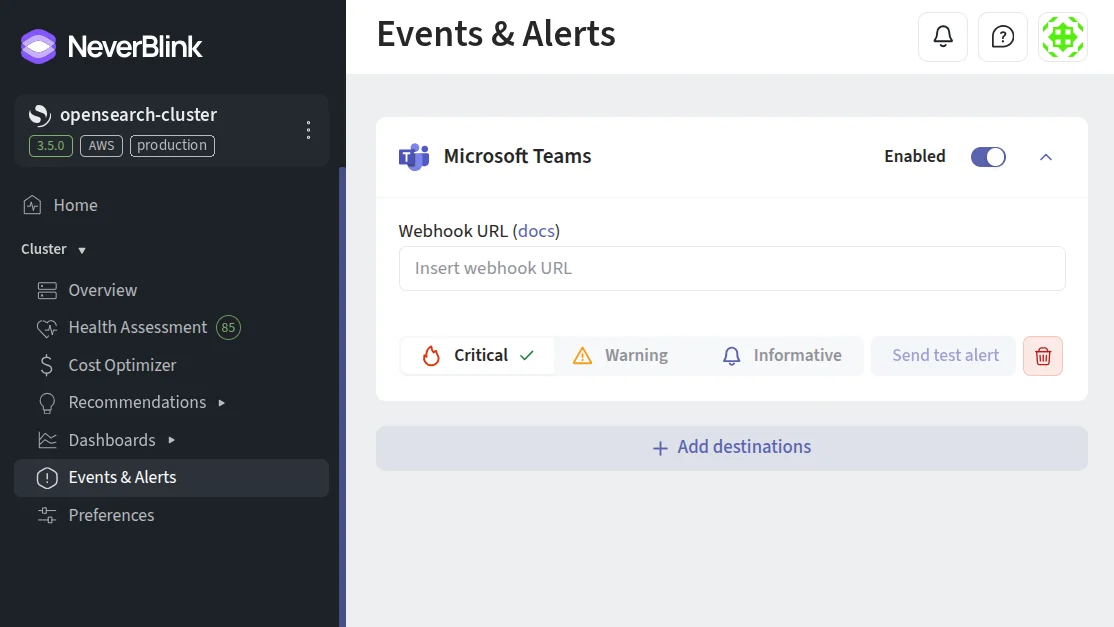
Add Teams as an alerting destination after connecting a cluster.
ALERTS
Alerts where your team works.
Connect any Teams channel with an incoming webhook and NeverBlink delivers each alert as a clear message with severity, subject and cluster context, visible to everyone who needs it.
FILTERS
Signal, not noise.
Per-destination severity filters mean your Teams channel only shows what matters. Send critical alerts to the channel and keep the rest in email or your on-call tool.

Keep every channel signal-only.
Add your first cluster free, or let us run a full health assessment and walk you through the findings within 24 hours.